
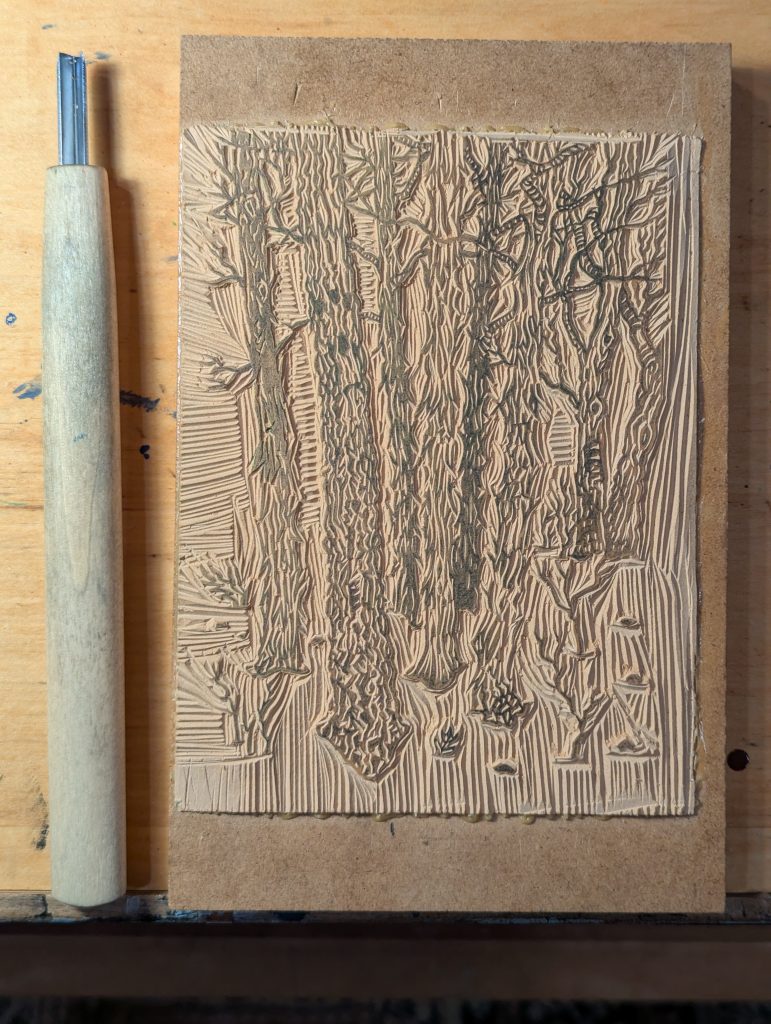
Over the last few weeks, I’ve been working on my first attempt at a two-color (multi-block) print on the Kelsey press. I’ve done multi-color prints before, but always using the reduction print method. That method guarantees features are aligned between prints because you are progressively carving away at the same image on the same block, so all you have to worry about is paper registration. I could have done that here, but I wanted to see what the multi-block approach was like. The biggest advantage of multi-block is that you can go back and reprint in the future, whereas once you are done with a reduction print run, the block has been fully ruined.
I had an image in mind that would lend itself well to a two-color print: a flat gray winter day with snow on the ground and a white sky both the same color, with the far mountain and the tree bark also all the same flat color. So the three colors that form the image would be the white of the paper, the middle tone of the mountain and bark, and then a dark tone for the texture of the bark and the small dark branches.
I decided to start by carving the darker block (the “black”), planning to then use that carving to transfer onto the second block. Because so many parts of the image print exactly the same between the two blocks, it was important to transfer the first block carving accurately to the second block. I achieved this using a transfer print process: printing from the first block onto acetate (middle image below), which held the wet ink, and then printing from the acetate onto the second block (right image below). That way the image also reverses twice, so it ends up in the same orientation on both blocks. Then I also had to transfer the portions of the initial sketch that would not print black (the mountain), which I did using a second carbon paper transfer. Overall, it was super tricky—way more work than just using the reduction carving method.
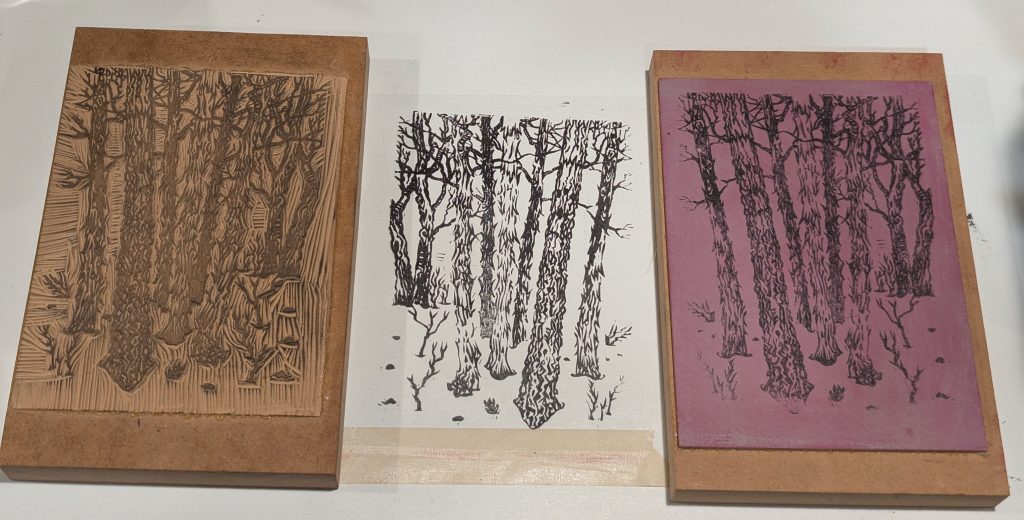
I did a few hand-prints pressing directly onto the block (not in the press) to make sure the carvings of the two blocks looked okay.
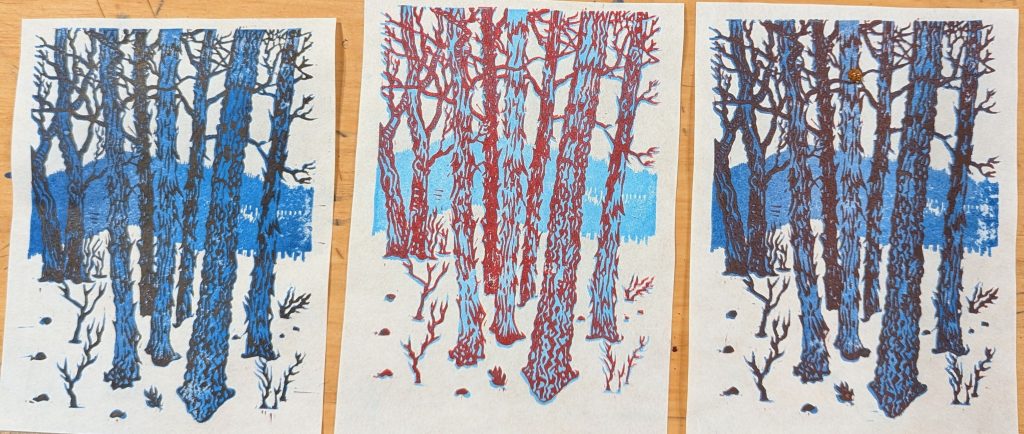
Then finally, I set up on the printing press and made a run of greeting cards. I printed about a dozen cards first with just the background color. Then I had to wait a whole week for that first layer to dry. I set up the second block in the press and had to redo the registration to align the printing of the second block with the first. It’s the first time I’ve attempted this on the Kelsey, and it was very hard. There isn’t much room when the press opens to get in and lay the gauge pins very precisely, and other than peeling them off the tympan and resticking them, I’m not sure there is a good way to make fine adjustments. So I ended up using up most of the prints I had made just trying to get the registration correct.
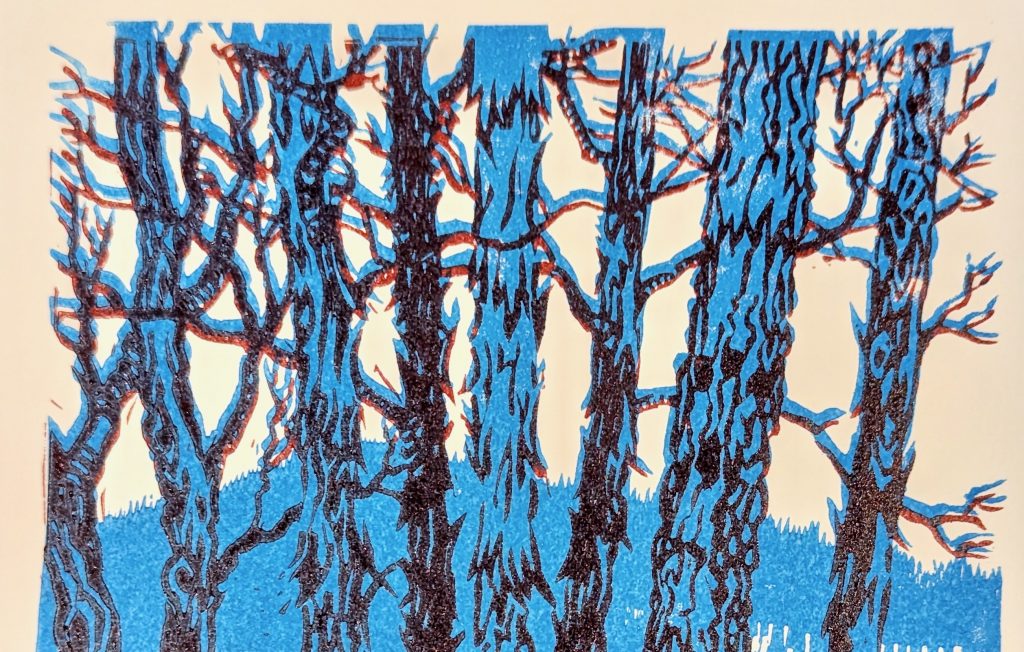
But – huzzah – after much fussing and fighting, I was able to pull about five good prints for the set.
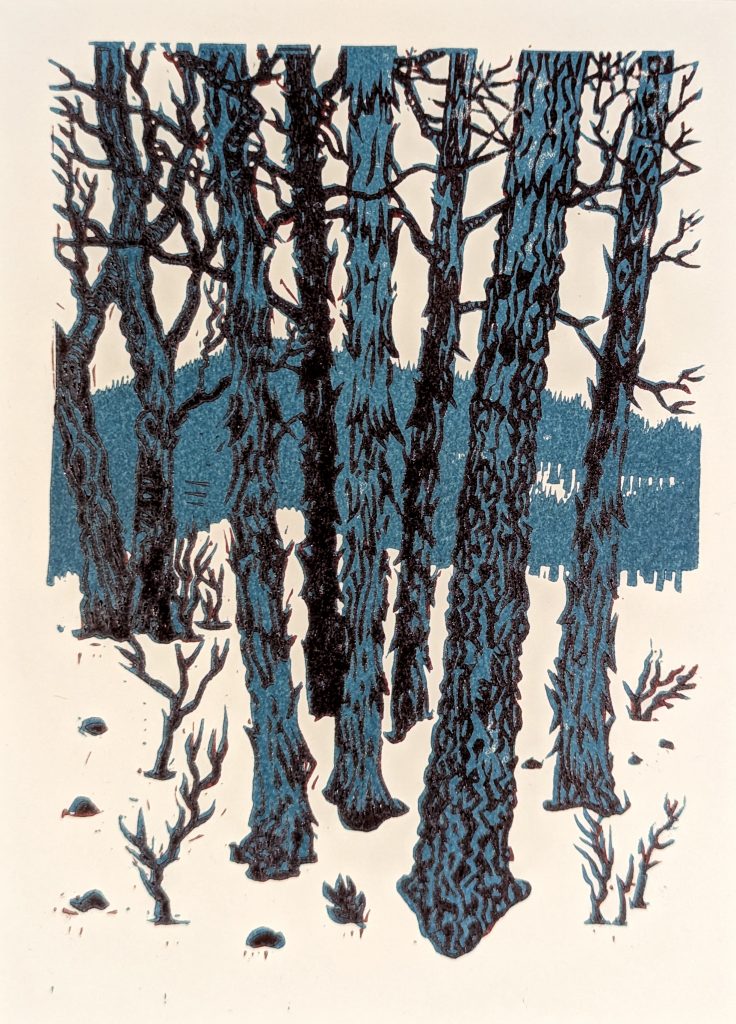
Overall, it was a ton of work. I think I did that to myself by designing a print with a large amount of double-printed detail; all the fine branches print on both blocks. If I had kept the mid-tone to only the tree trunks and the mountain, the print itself would be far more forgiving of slightly misaligned printing. Fortunately, since this is a two-block print and not a reduction print, I still have both blocks, and I can actually go back and carve away the double-printing areas…
Maybe in the future. For now I’m ready to move on from this design to something new.